


This is the fourth post in the MCP365 Explorer series . If you haven’t read the introduction, start there — it covers the setup, the protocol, and the key finding that MCP servers can be called directly from SPFx without a backend.
Today: the Work IQ Mail server (mcp_MailTools) — 22 tools for email management.
Preview notice: The Agents 365 Tools and MCP servers described in this post are part of the Microsoft Agent 365 tooling servers preview . These features are in preview, may change, and should not be used in production workloads.
Table of Contents
- Table of Contents
- The Showcase
- What I Learned
- Server Details
- Tool Reference
- Deploy It Yourself
- Resources
The Showcase
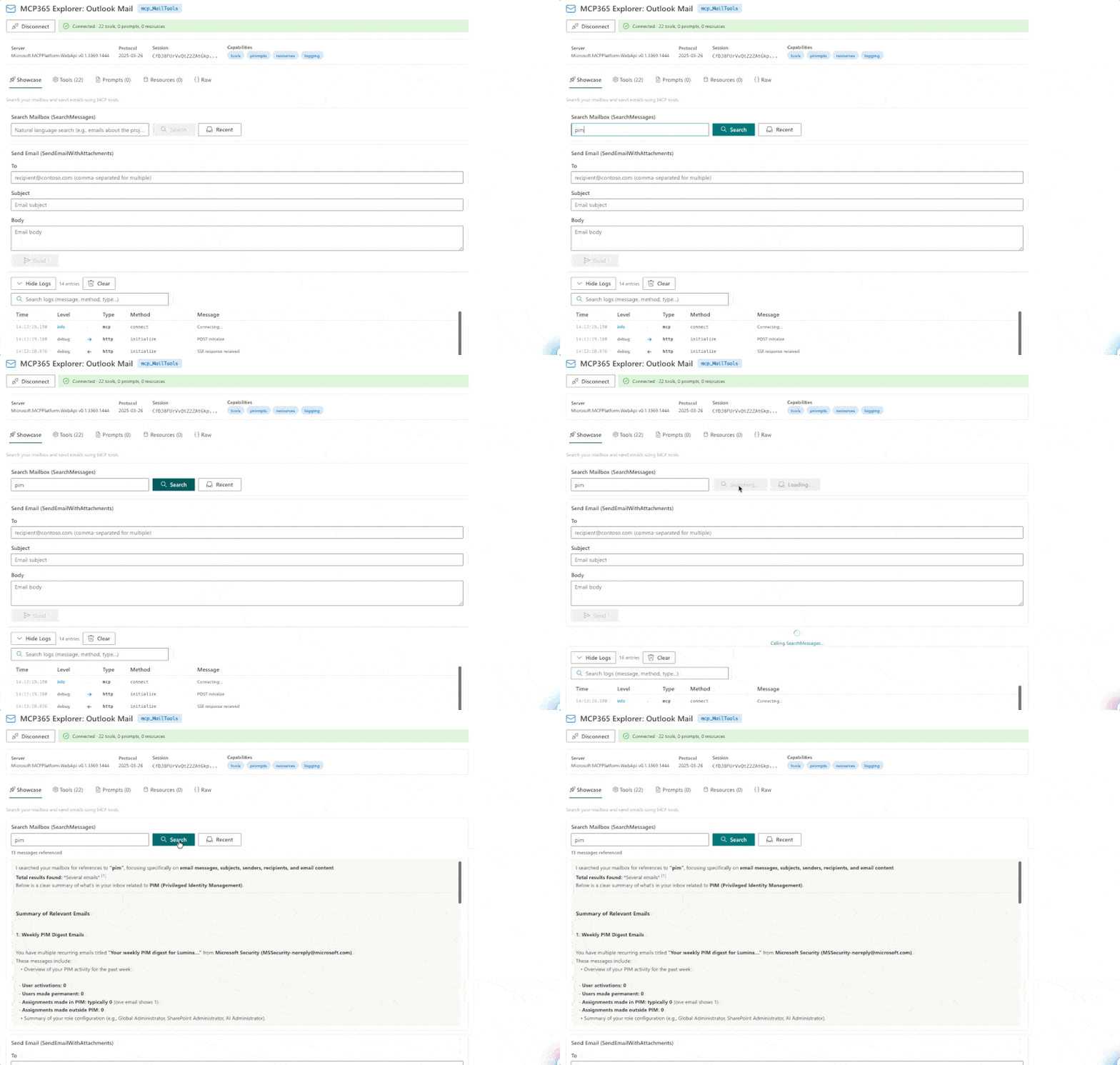
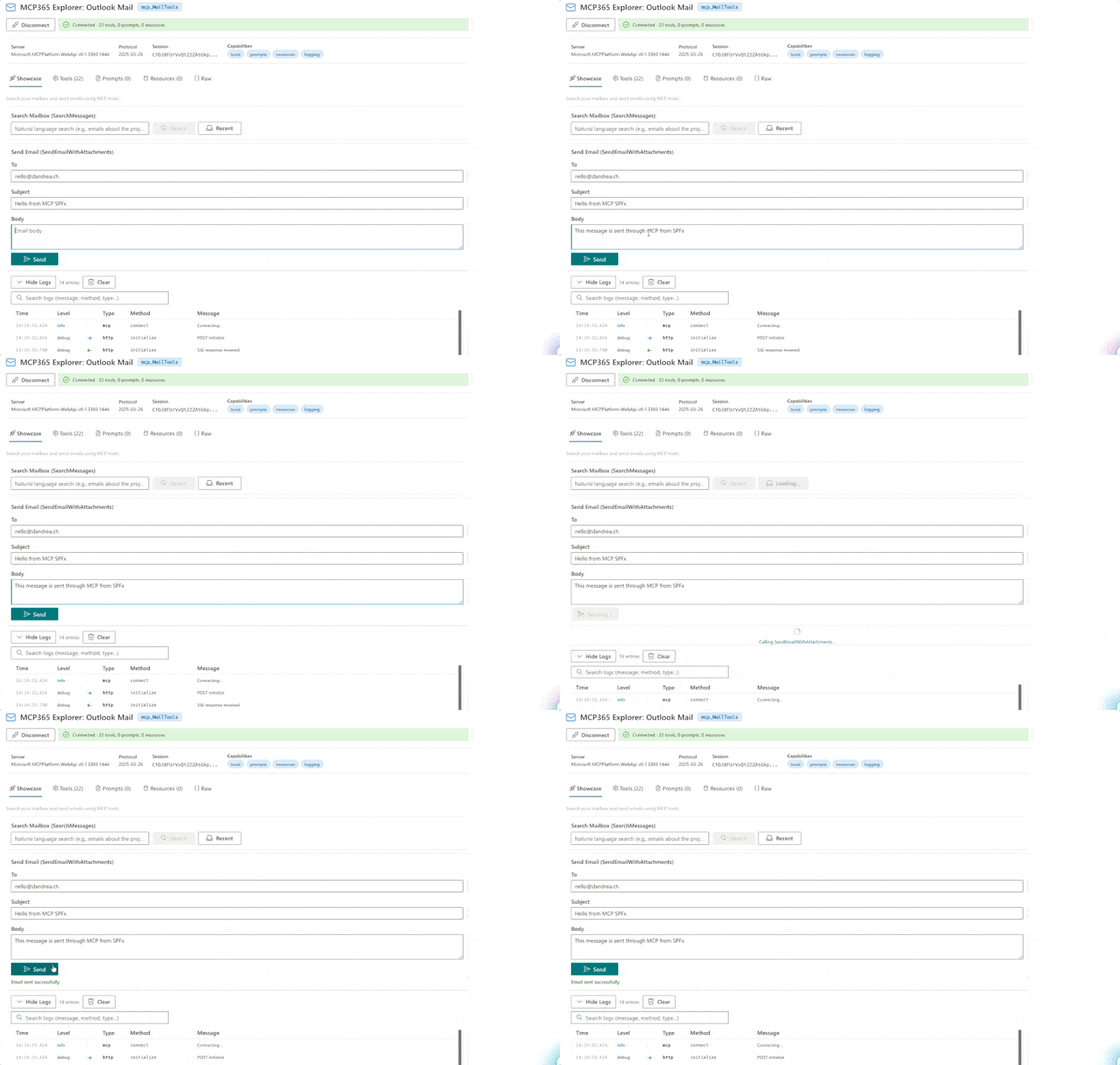
The Mail Explorer’s showcase has two sections:
Search Mailbox : type a natural language query and SearchMessages finds matching emails. This is where it gets interesting: SearchMessages is not a simple keyword filter. It takes a message parameter — a natural language query like “emails about the project” or “messages from Microsoft Security” — and returns a Copilot-powered semantic summary of the matching emails. The response includes a structured markdown summary with categories, key findings, and numbered citations linking back to the original messages. It reads your emails, understands them, and gives you a synthesized answer.
Send Email : a simple form with To, Subject, and Body fields that calls SendEmailWithAttachments. One MCP call — no Graph SDK, no request builder chains.
What I Learned
SearchMessages is Copilot search, not Graph search. When I called SearchMessages with “pim”, I expected a list of email objects with subject, sender, and date. Instead, I got a full Copilot-powered analysis: a markdown summary categorizing my PIM digest emails by type (weekly digests, role assignments, role activations), with structured sections and numbered citations to the original messages. The message parameter is a natural language prompt, not a search query. This is fundamentally different from using $filter on the Graph messages endpoint.
The response includes conversationId. SearchMessages returns a conversationId that can be reused for follow-up queries — making it possible to have a multi-turn conversation about your emails through MCP.
Two search approaches. SearchMessages (natural language, Copilot-powered) and SearchMessagesQueryParameters (OData, Graph-style) give you both the AI-powered and the traditional approach. Which one to use depends on whether you need semantic understanding or precise filtering.
Full thread context for replies. The server distinguishes between ReplyToMessage (simple reply) and ReplyWithFullThread (reply with full conversation history). For LLM-powered email assistants, the full thread variant gives the model the context it needs to generate a relevant response.
MCP makes interacting with Microsoft 365 remarkably easy. Building a small component that sends an email is just a callTool('SendEmailWithAttachments', { to: [...], subject: '...', body: '...' }) — that’s it. No Graph SDK setup, no complex authentication plumbing, no request builder chains. The MCP protocol handles the session, the auth token does the rest. After working with these endpoints from the SharePoint Hackathon through to this explorer series, this is what stands out most: the barrier to building M365-connected features has dropped significantly. And the inline documentation from MCP — normally meant for the LLM — turns out to be an excellent guide for developers too. Parameter names, types, what to pass and what not to pass — it’s all there at runtime.
Server Details
| Property | Value |
|---|---|
| Server ID | mcp_MailTools |
| Display name | Work IQ Mail |
| Permission scope | McpServers.Mail.All |
| Tools | 22 |
Tool Reference
The 22 tools break down into these categories:
Search and read: SearchMessages (Copilot-powered natural language search), SearchMessagesQueryParameters (OData/Graph-style), GetMessage
Compose and send: CreateDraftMessage, UpdateDraft, SendDraftMessage, SendEmailWithAttachments
Reply and forward: ReplyToMessage, ReplyAllToMessage, ForwardMessage, ReplyWithFullThread, ReplyAllWithFullThread, ForwardMessageWithFullThread
Message management: UpdateMessage, FlagEmail, DeleteMessage
Attachments: GetAttachments, DownloadAttachment, UploadAttachment, UploadLargeAttachment, AddDraftAttachments, DeleteAttachment
Deploy It Yourself
- Clone the repo:
git clone https://github.com/ferrarirosso/mcp365-explorer - Build:
cd webparts/mcp365-mail && npm install && npx heft build --clean - Package:
npx heft test --clean --production && npx heft package-solution --production - Upload
sharepoint/solution/mcp365-mail.sppkgto your app catalog - Approve the
McpServers.Mail.Allpermission in SharePoint admin center - Add the webpart to a page and configure the Environment ID
Note: See the README for instructions on the service principal naming (Work IQ Tools vs Agent 365 Tools).